
How to Login to MedCrack Academy: A Step-by-Step Guide
Are you ready to start your learning journey with MedCrack Academy? Whether you’re a medical or dental professional looking for high-quality courses, the first step is to create an account on our platform. This guide will walk you through the entire registration process, ensuring a smooth and hassle-free experience. We have provided separate step-by-step instructions for mobile users and laptop/PC/tablet users so you can easily follow along. By the end of this blog, you’ll have successfully created an account and will be ready to access top-tier medical and dental courses on MedCrack Academy!
Table of Contents
Why Register on MedCrack Academy?
Before diving into the steps, here’s why creating an account on MedCrack Academy is beneficial:
✔️ Access Courses – Get expert-level courses designed for medical and dental professionals.
✔️ Track Your Progress – Keep track of your learning journey, quiz scores, and completed courses.
✔️ Earn Certificates – Get recognized for your achievements with certificates upon course completion.
✔️ Join a Professional Community – Connect with other medical professionals and learners.
Now, let’s get started with the registration process!
How to Register for MedCrack Academy
Step #1: Open MedCrack Academy Website
- Open your preferred web browser (Google Chrome, Microsoft Edge, or Safari).
- In the search bar, type “MedCrack Academy” and press Enter.
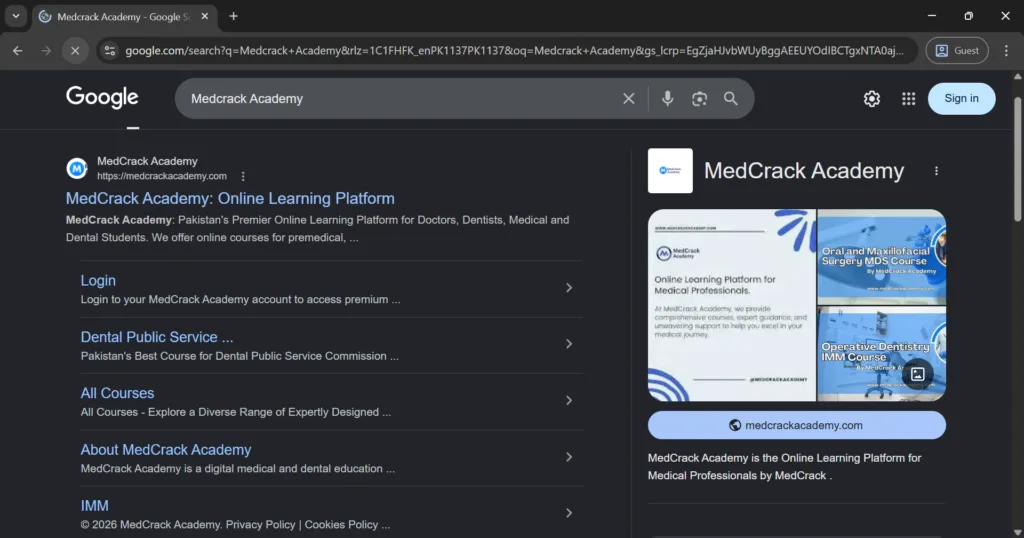
Alternatively, directly visit www.medcrackacademy.com.
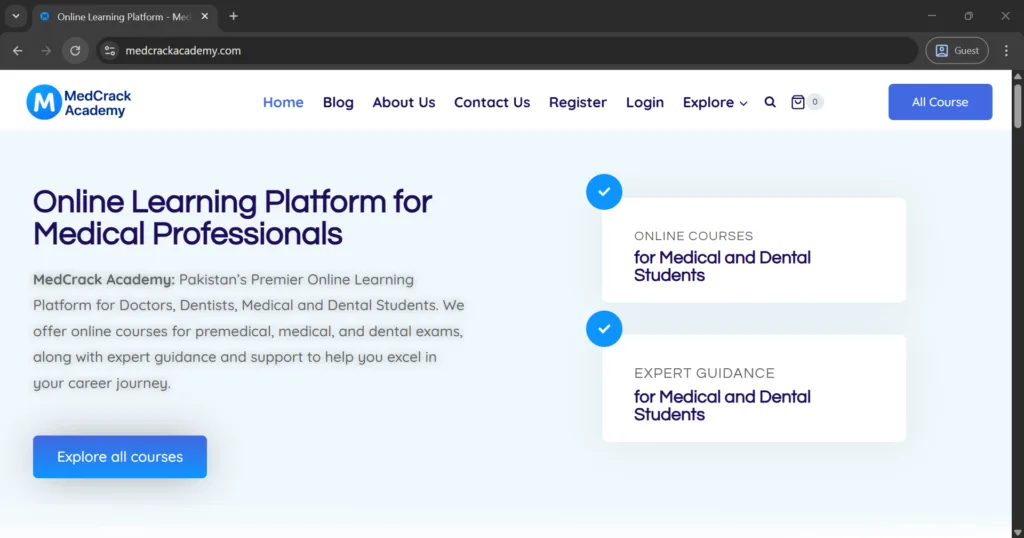
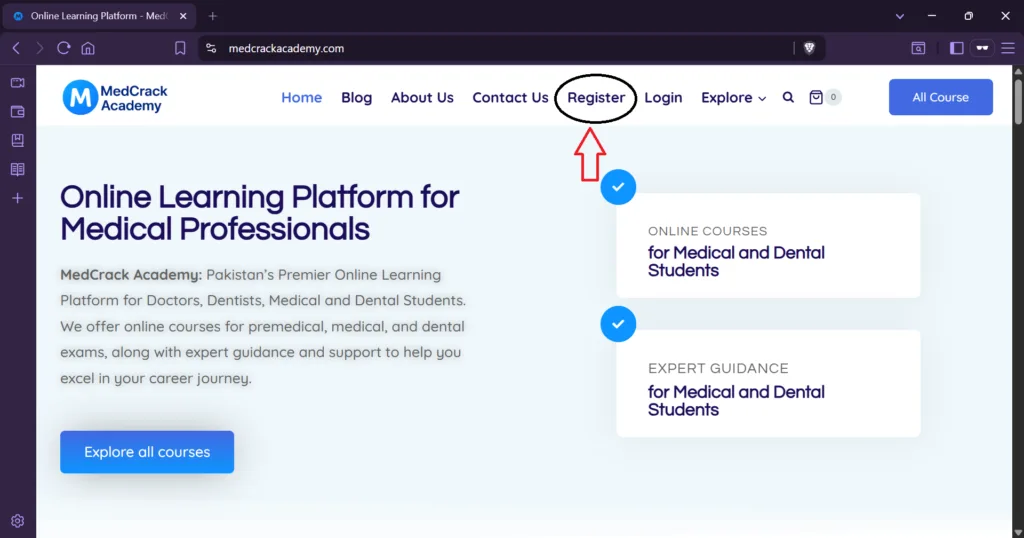
Step #2: Click on the “Register” or “Sign Up”
- Once the homepage loads, look at the top of the website.
- Click on the “Register” or “Sign Up” button to begin the registration process.
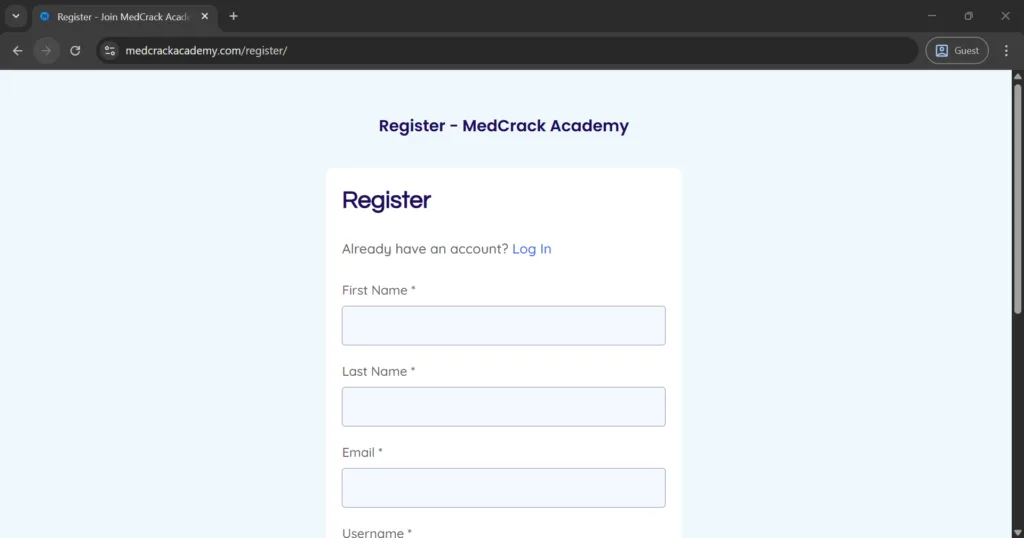
Step #3: Enter Your Personal Information
- A registration form will appear. You need to enter the following details:
- Full Name (Use your real name, as it will appear on your certificates).
- Email Address (Ensure it’s active, as you’ll receive a verification email).
- Create a Password (Choose a strong password for account security).
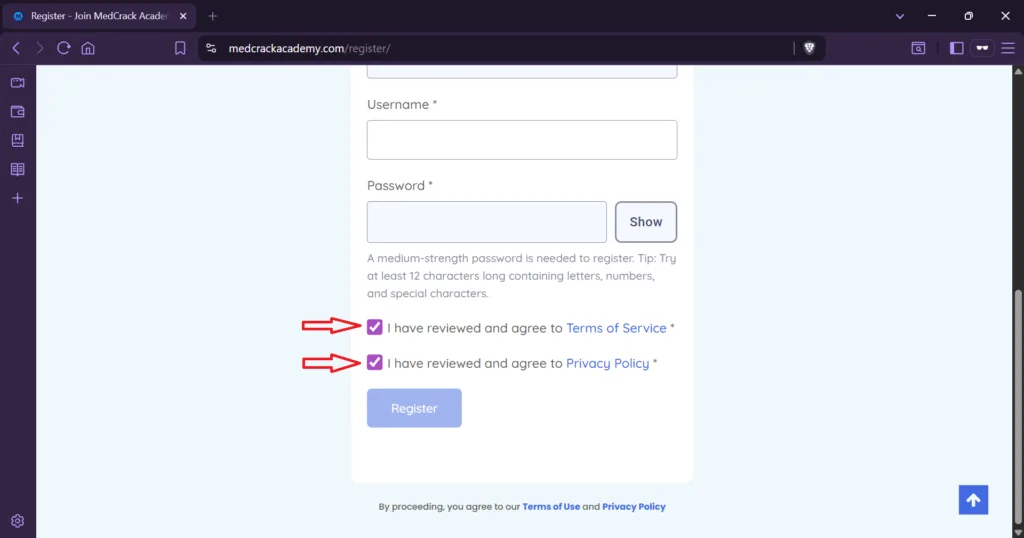
Step #4: Accept Terms & Conditions
- Scroll down and read the Terms & Conditions and Privacy Policy.
- Check the box to confirm that you agree with the terms.
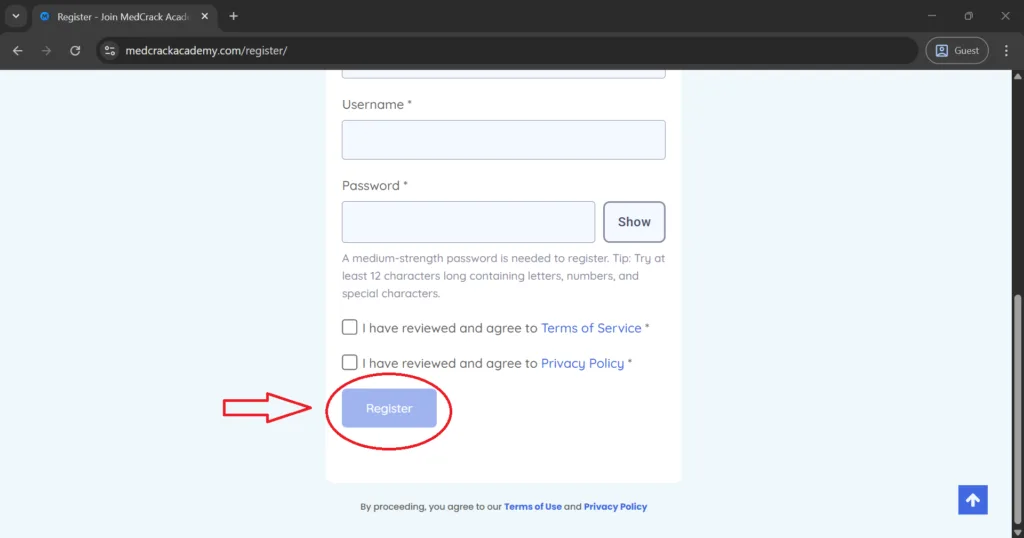
Step #5: Click “Register”
- After entering all the required details, click on the “Register” button.
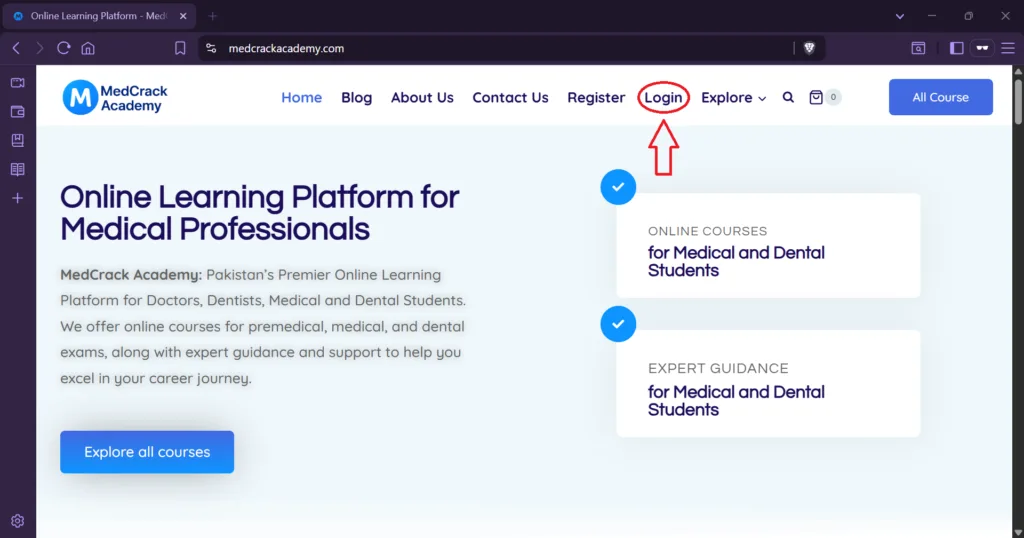
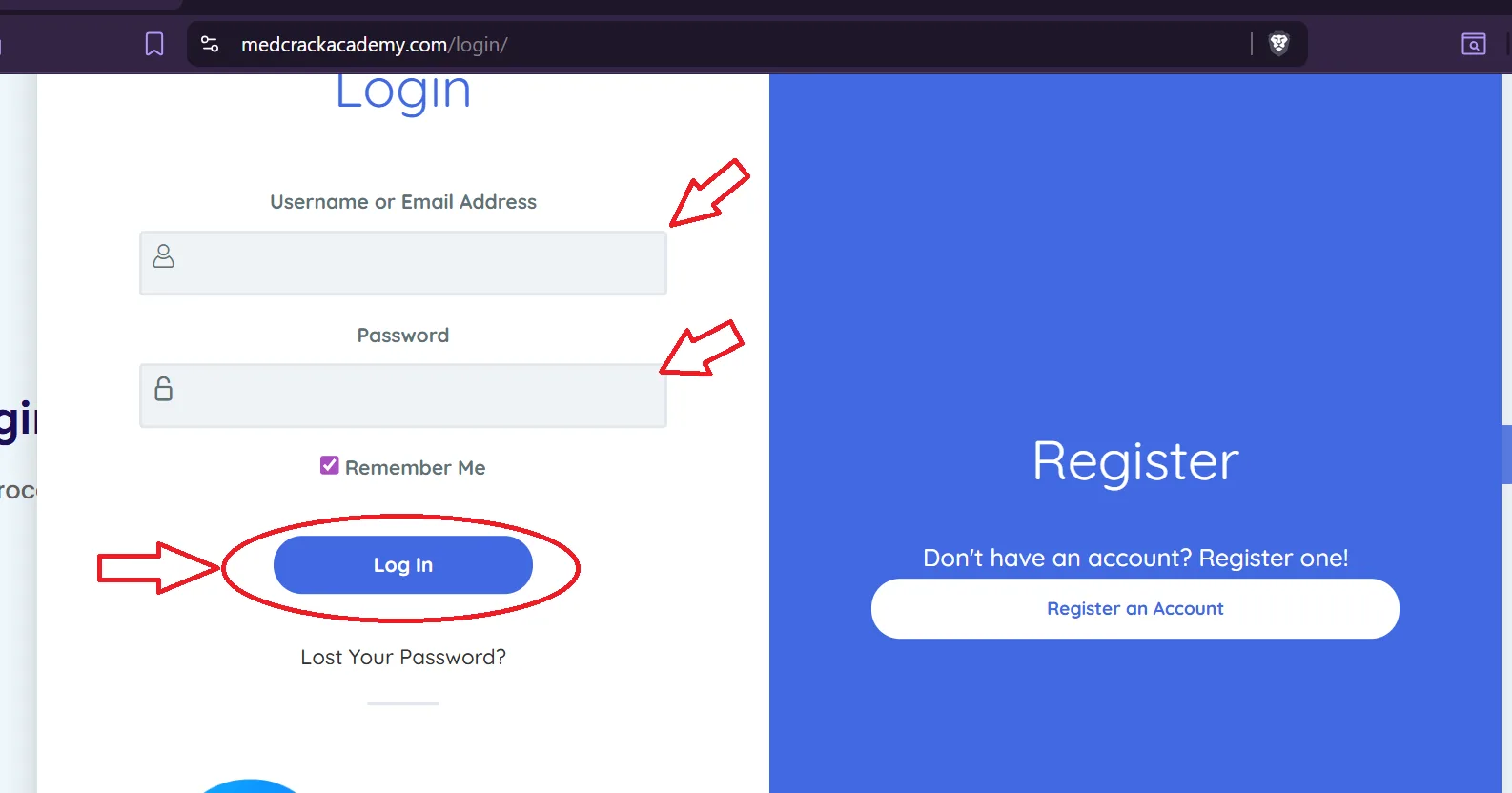
Step #6: Log in to Your Account
- Return to www.medcrackacademy.com.
- Click on the “Login” button.
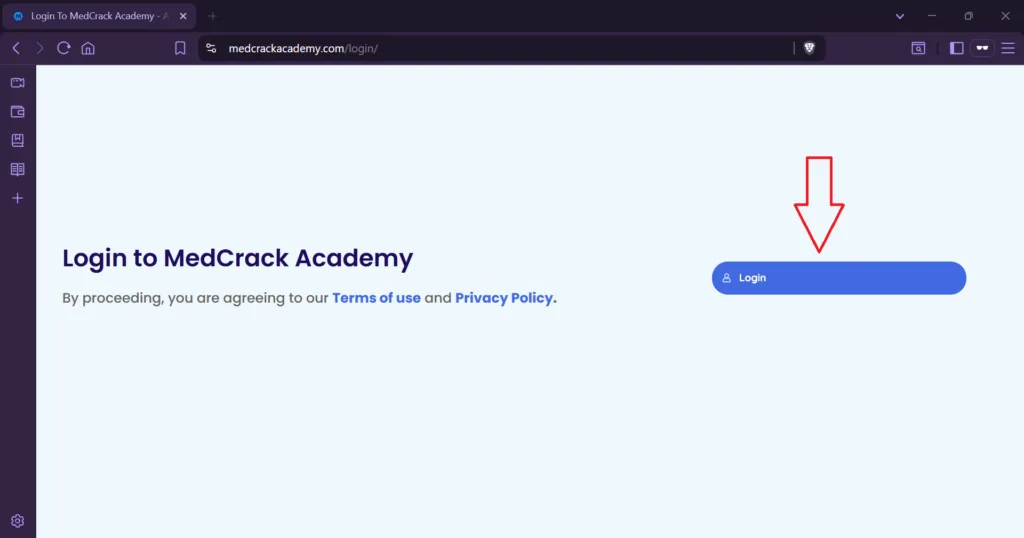
3. Enter your email and password, then click “Login”.
✅ Congratulations! You are now a registered member of MedCrack Academy. You can now browse, enroll in courses, and start learning!
Common Registration Issues & Solutions
❓ Didn’t Receive the Verification Email?
✔️ Check your Spam or Junk folder.
✔️ Ensure you entered the correct email address.
✔️ Wait a few minutes and refresh your inbox.
❓ Forgot Your Password?
✔️ Click on “Forgot Password” on the login page.
✔️ Enter your registered email and follow the reset instructions.
❓ Facing Technical Issues?
✔️ Try clearing your browser cache and reloading the page.
✔️ Use a different browser or device.
✔️ Contact MedCrack Academy Support for assistance.
Start Learning with MedCrack Academy Today!
Now that you’ve successfully registered, you can browse our courses, enroll in the ones that suit your needs, and begin your journey toward professional growth!
- Support: Reach out to our team for any issues.
- Stay Updated: Follow us on social media for course updates.
We highly recommend going through these related tutorial blogs:
- How to Sign Up for MedCrack Academy
https://medcrackacademy.com/how-to-sign-up-for-medcrack-academy/ - Visit MedCrack https://www.medcrack.com/